BizCrush 요금제 업그레이드 가이드
2
분

BizCrush
Growth
BizCrush 유료 플랜 업그레이드는 간단한 몇 단계만 거치면 됩니다.
업그레이드하는 절차는 다음과 같습니다.
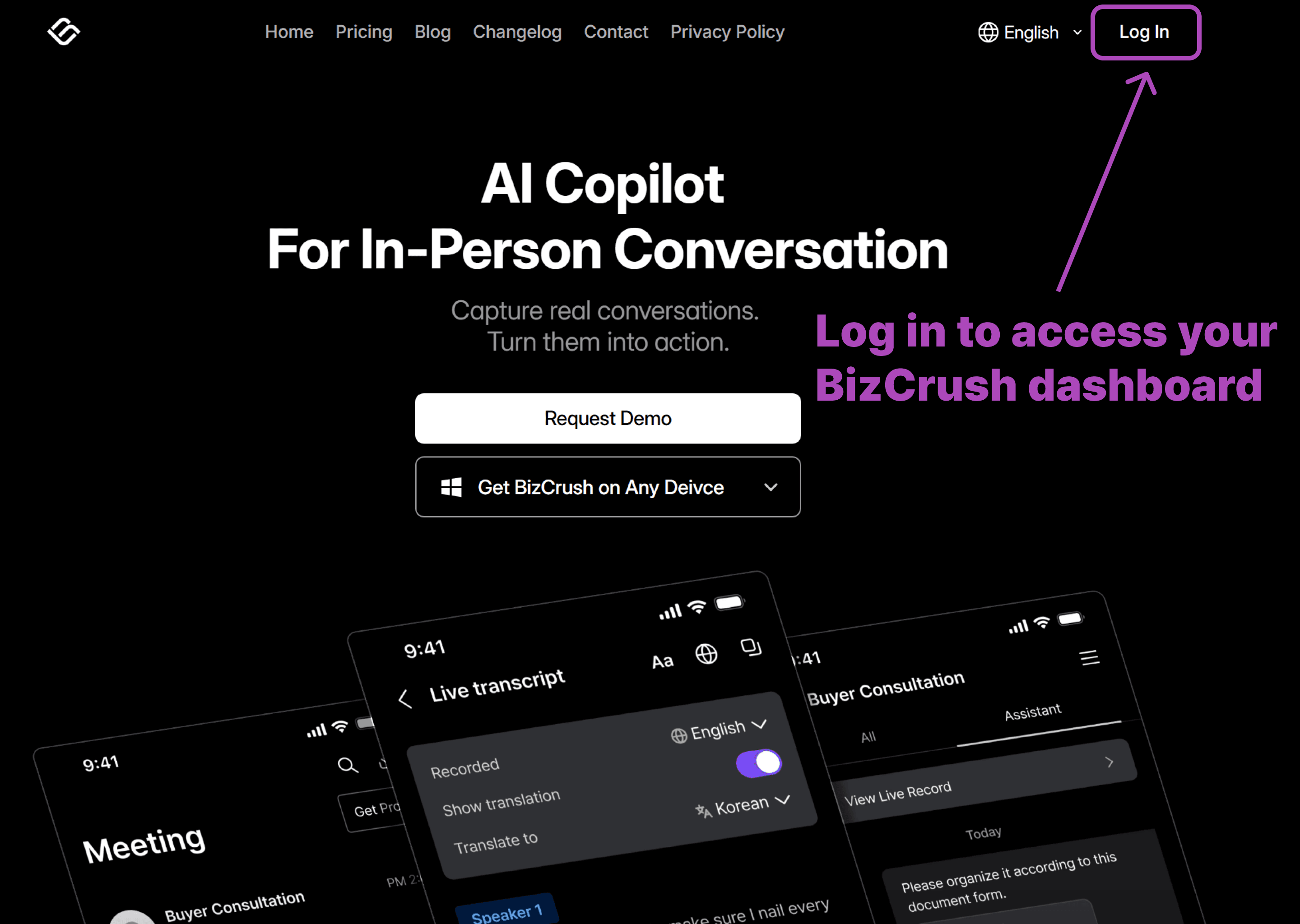
1. BizCrush 계정에 로그인하기
먼저 BizCrush 홈페이지에서 로그인하세요. 결제 관리 페이지에 접속하려면 로그인이 필요합니다.
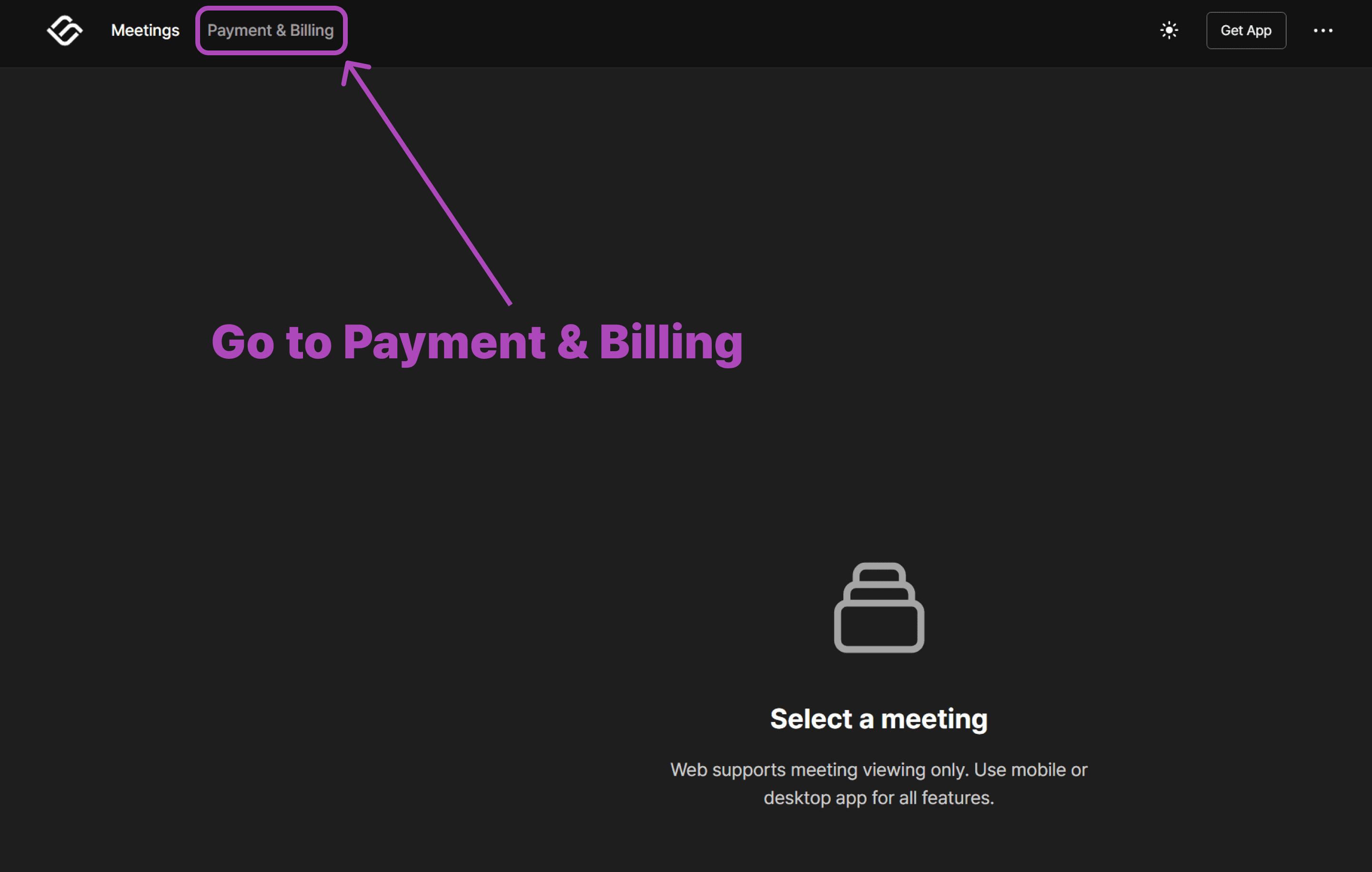
2. 결제 및 청구 페이지 열기
로그인 후 '결제 및 청구' 섹션으로 이동하세요. 이곳에서 현재 이용 중인 요금제를 확인하고 업그레이드를 관리할 수 있습니다.
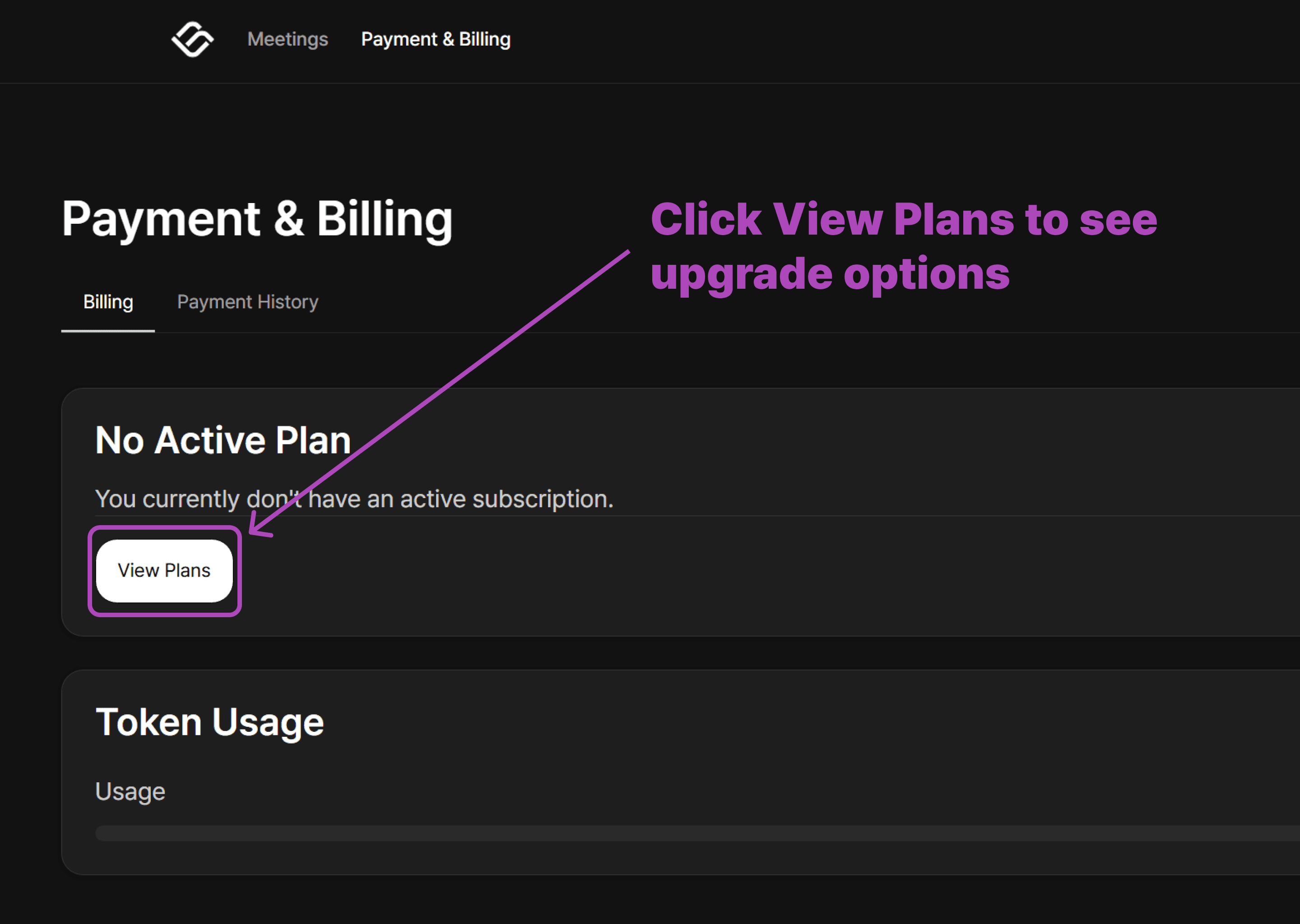
3. 이용 가능한 요금제 보기
결제 페이지에서 이용 가능한 요금제를 확인하는 버튼을 볼 수 있습니다. 요금제 보기를 클릭해 주세요.
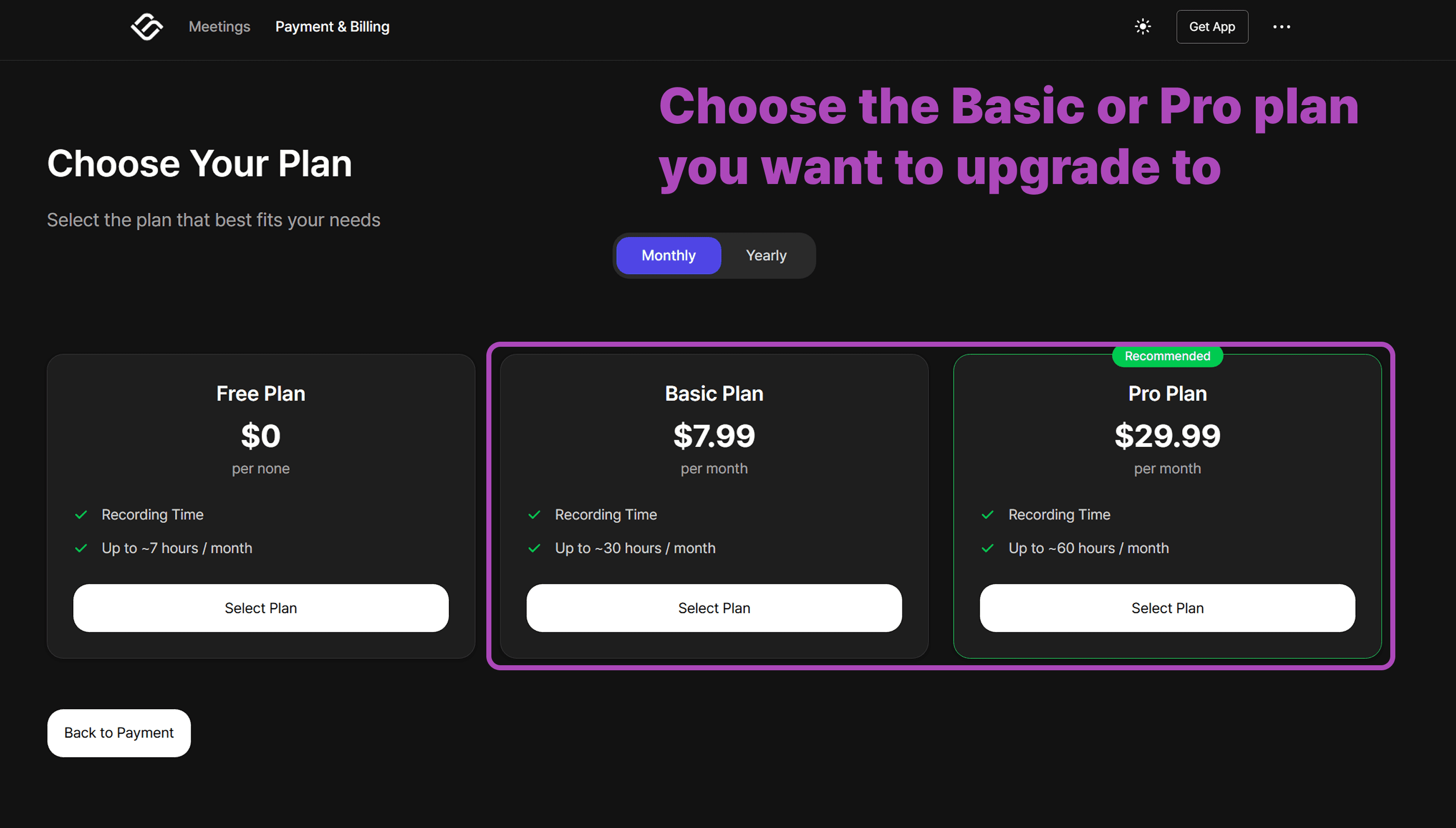
4. 유료 플랜 선택
용도에 맞는 최적의 플랜을 선택할 수 있습니다. 업그레이드할 요금제를 클릭해 주세요.
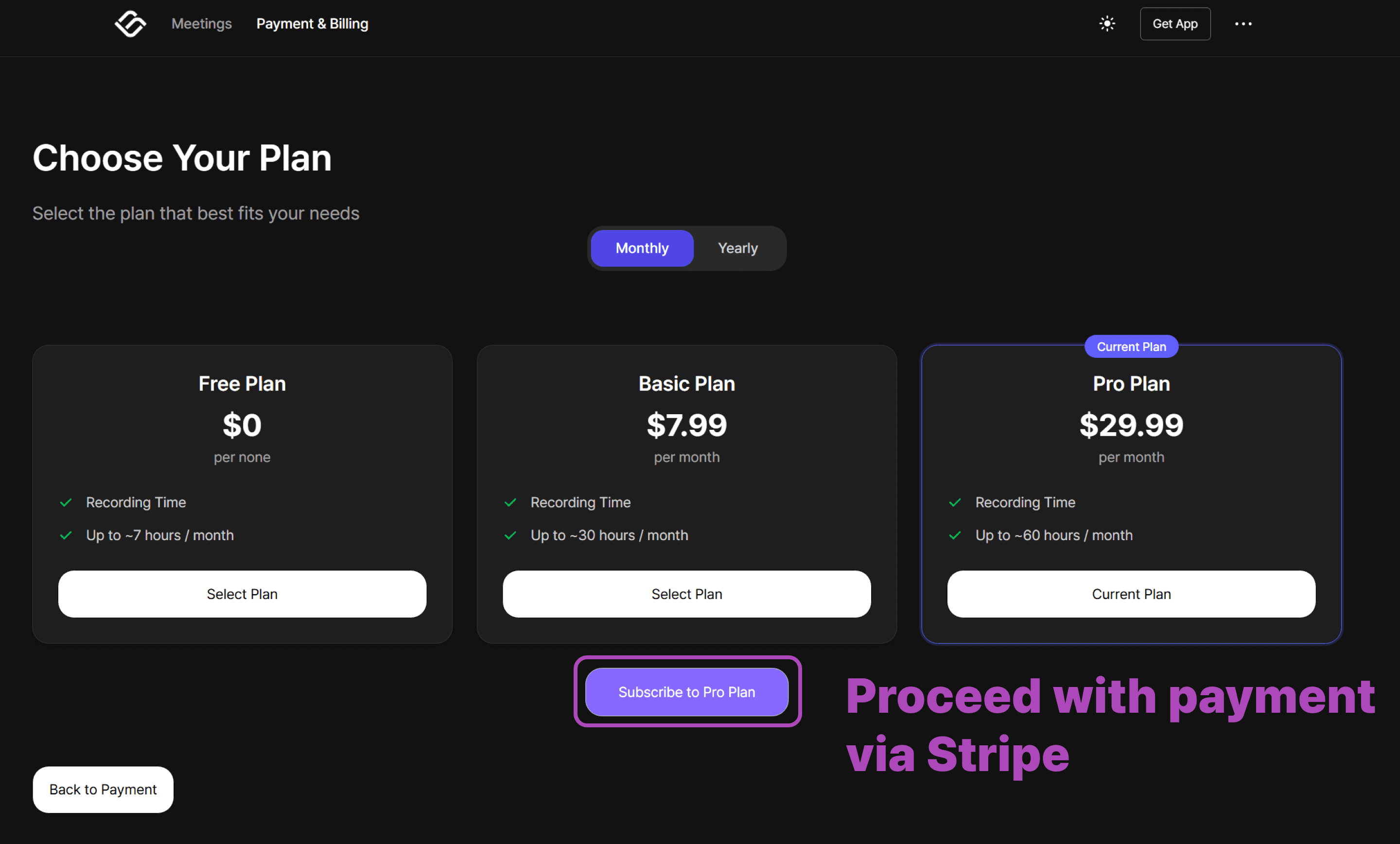
5. Complete Your Payment Through Stripe
When you select a paid plan, you’ll be redirected to a secure Stripe payment page. Follow the steps to enter your billing details and finalize your subscription.
That’s it!
Once payment is complete, your account switches to the new plan immediately.
Important: Switching from Mobile?
If you previously subscribed via the Apple App Store or Google Play Store, you must cancel that subscription first to avoid duplicate charges.
Cancel your subscription in the App Store or Play Store.
Wait for your current billing cycle to end and your account to return to the Free Plan.
Once your account is free, follow the steps above to upgrade via the web.
Need more help?
Contact us at business@bizcrush.ai