How to Upgrade Your BizCrush Plan
2
min

BizCrush
Growth
Upgrading to a paid BizCrush plan takes only a few steps.
Here is how to upgrade in just a few clicks.
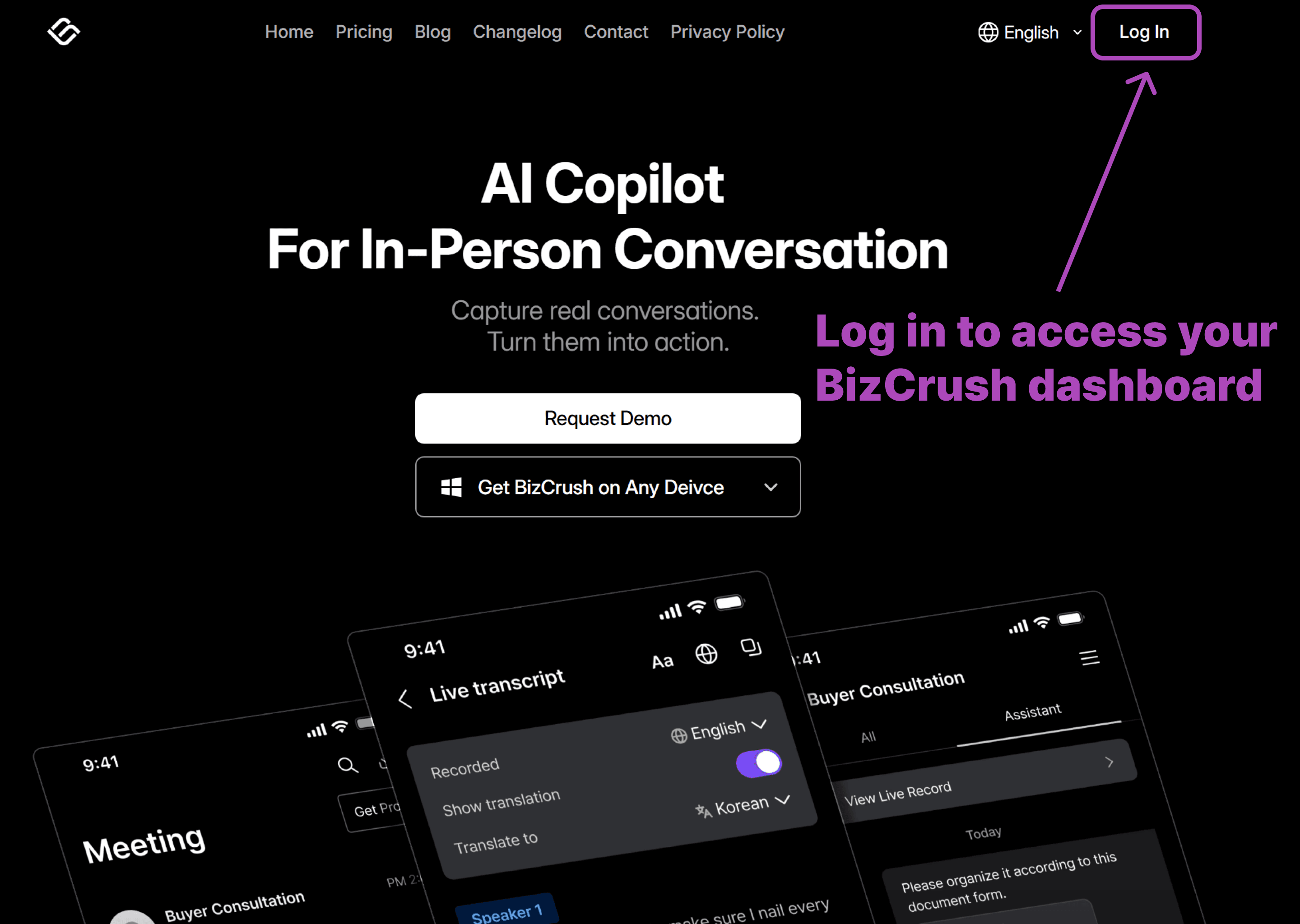
1. Log in to Your BizCrush Account
Start by signing in from the BizCrush homepage. You’ll need to be logged in to access your billing dashboard.
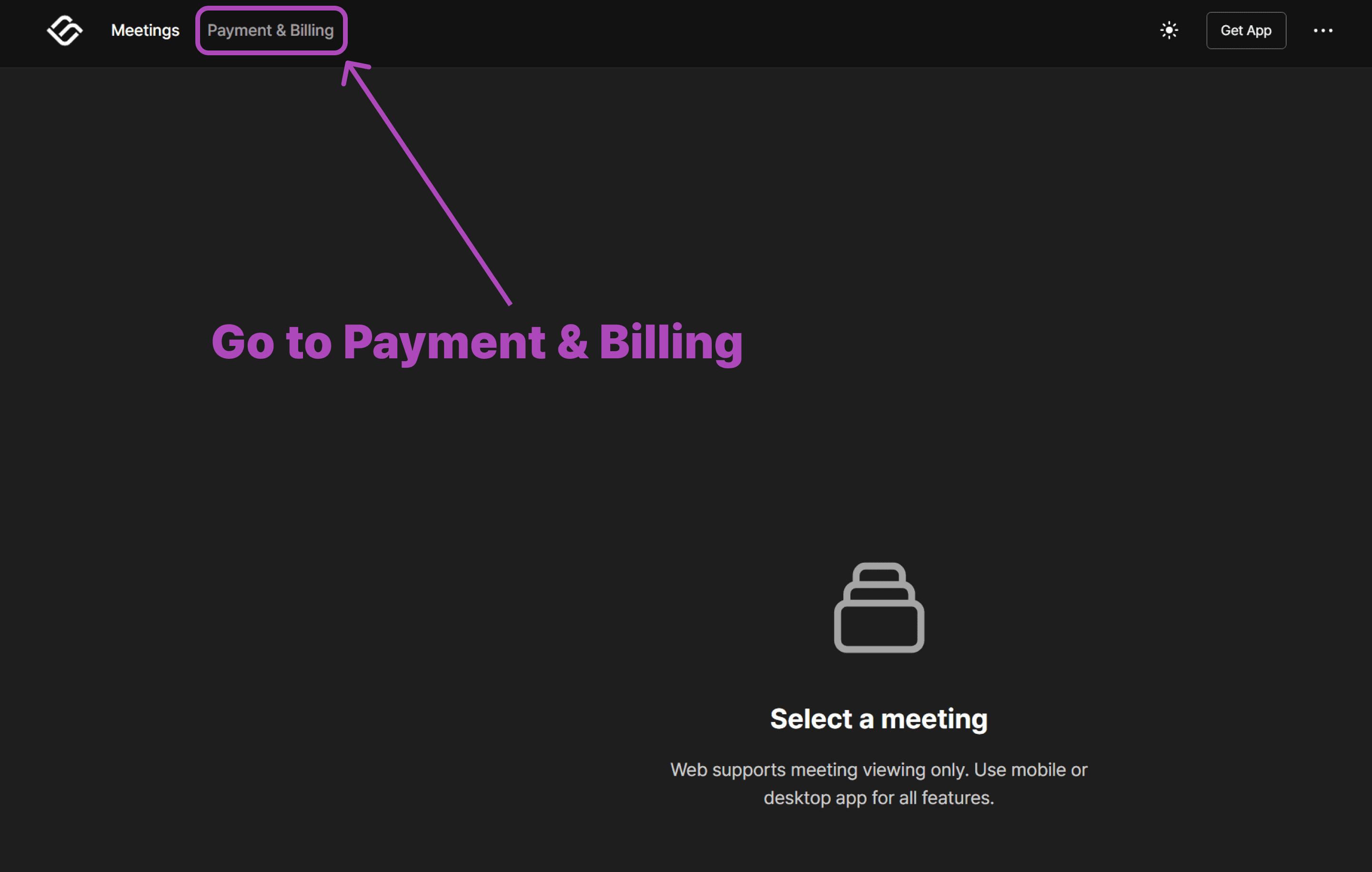
2. Open the Payment & Billing Page
Once you’re in, head to the Payment & Billing section. This is where you can view your current plan and manage upgrades.
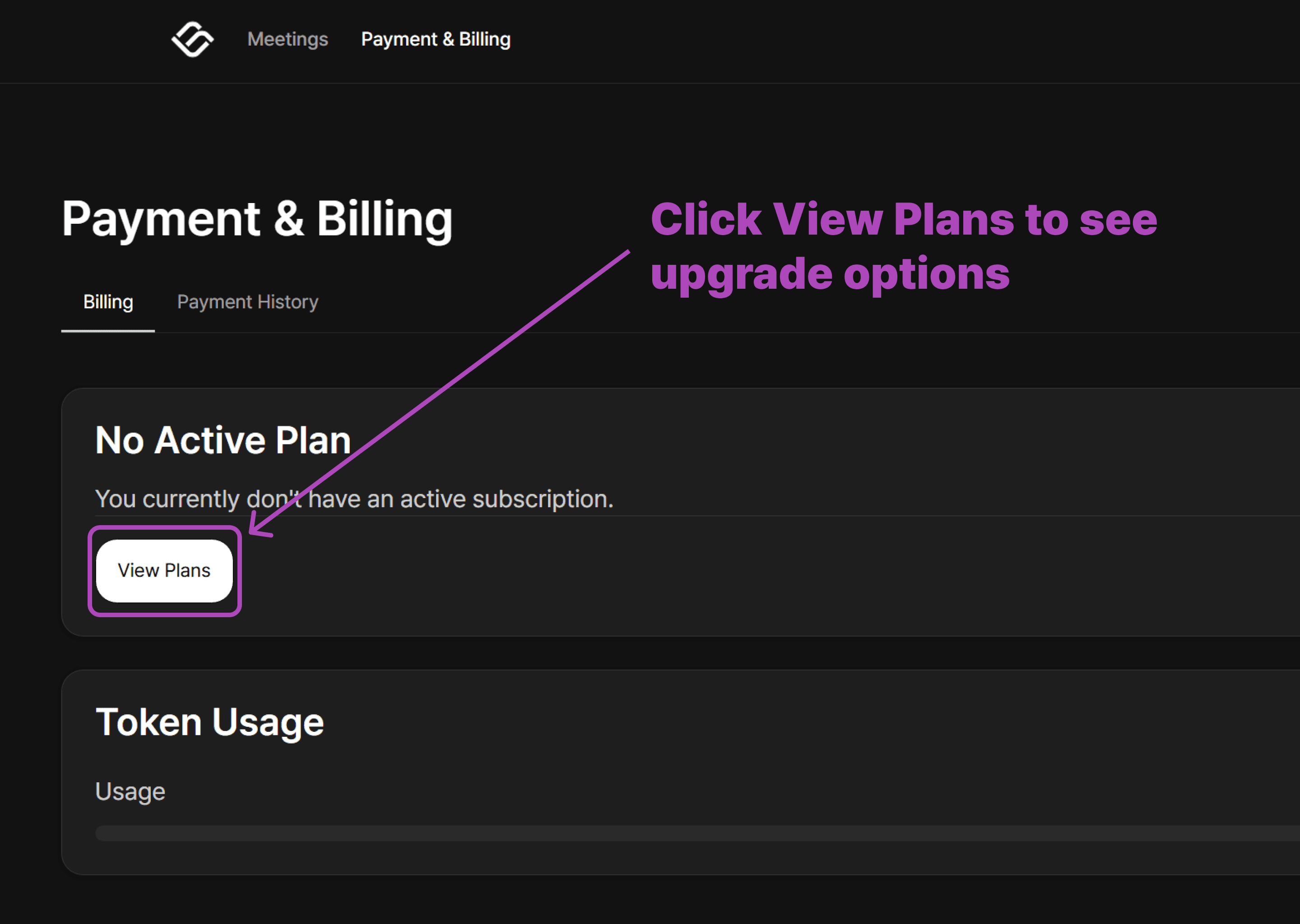
3. View Available Plans
On the Billing page, you’ll see a button to explore available plans. Click View Plans to continue.
4. Select Your Paid Plan
Choose the plan that best fits your needs. Click the plan you’d like to upgrade to.
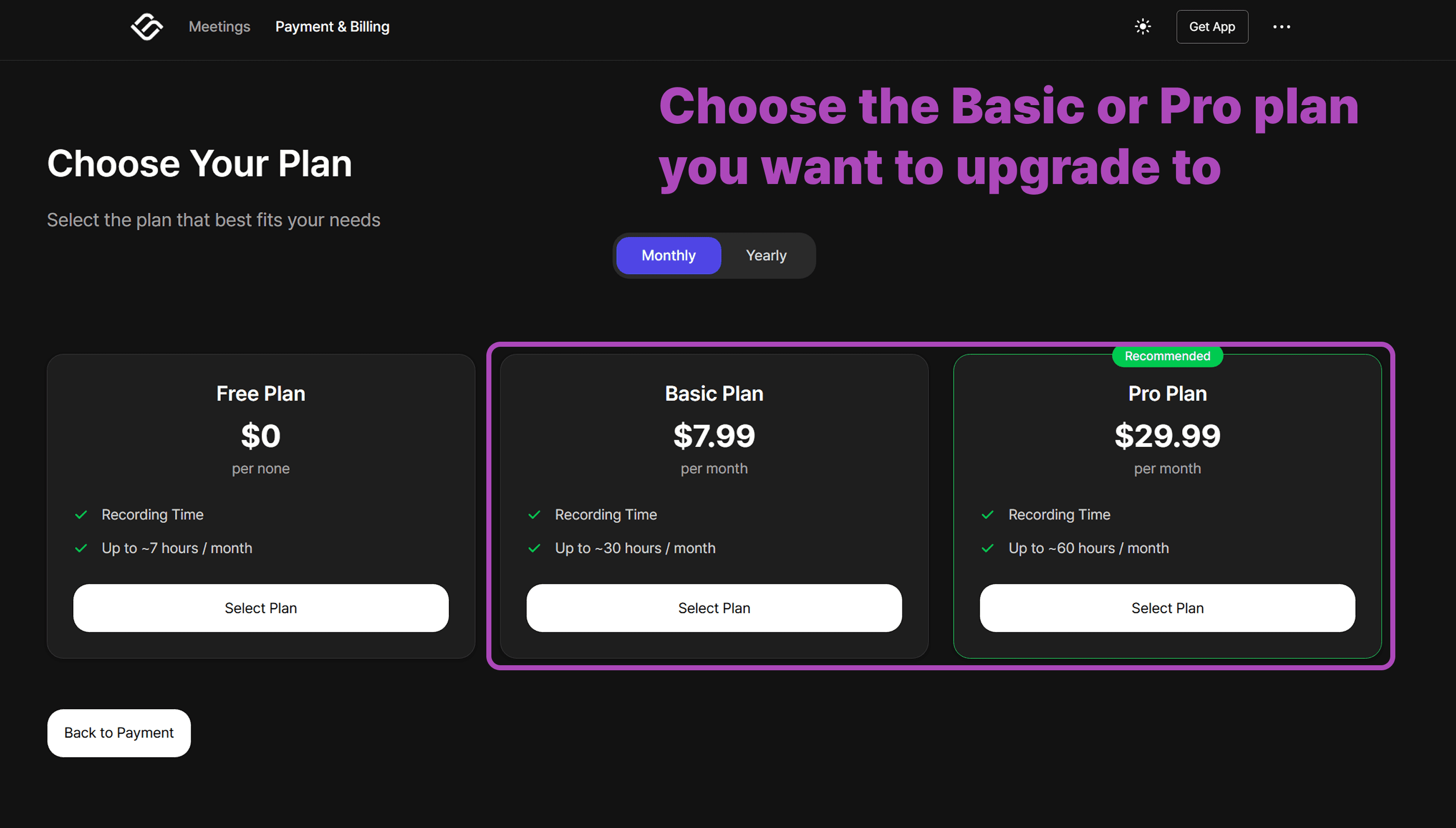
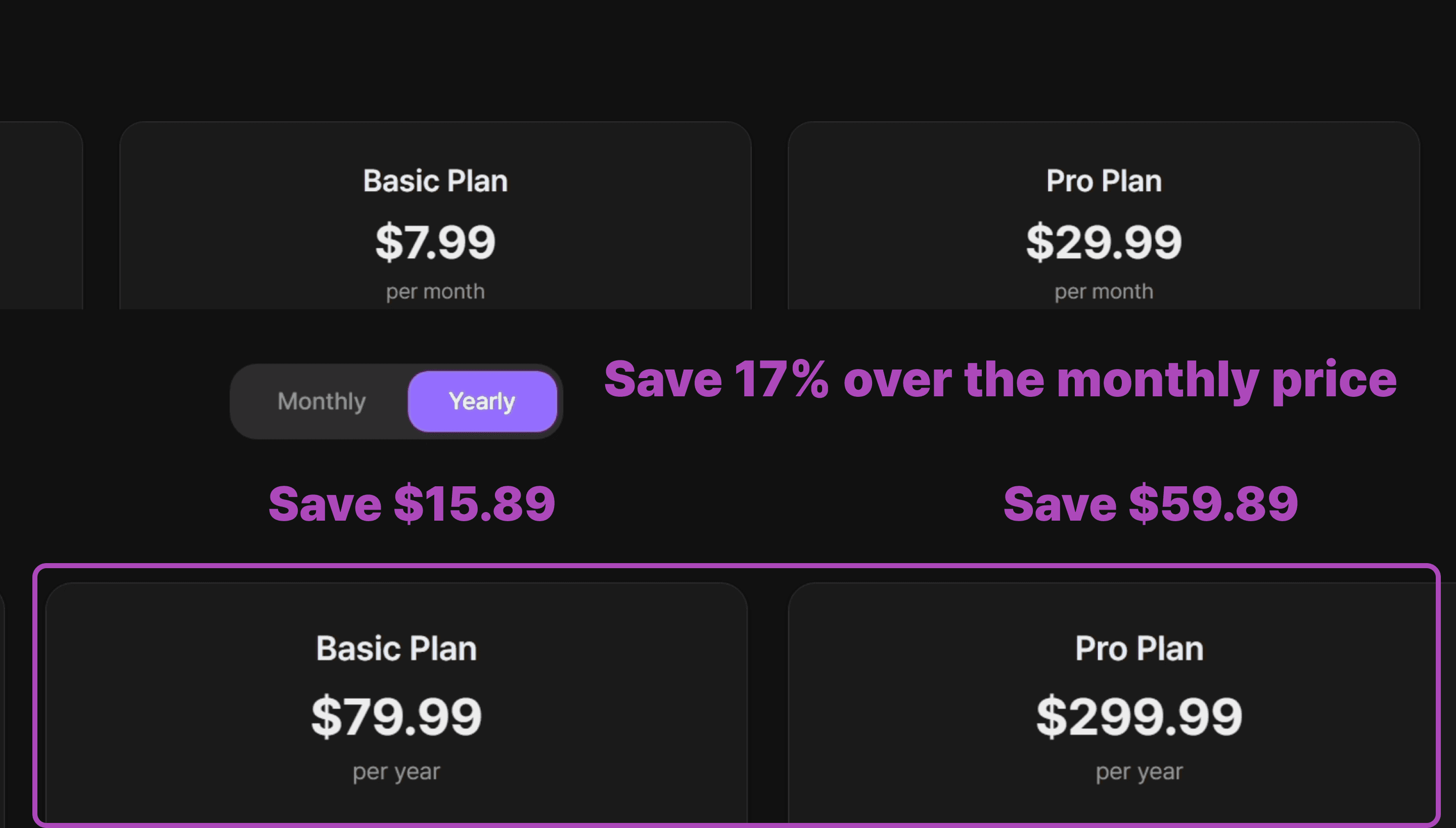
Save 17% when you choose annual billing instead of paying monthly.
⚠️ Note
Annual billing is only available on web — not through the
mobile.
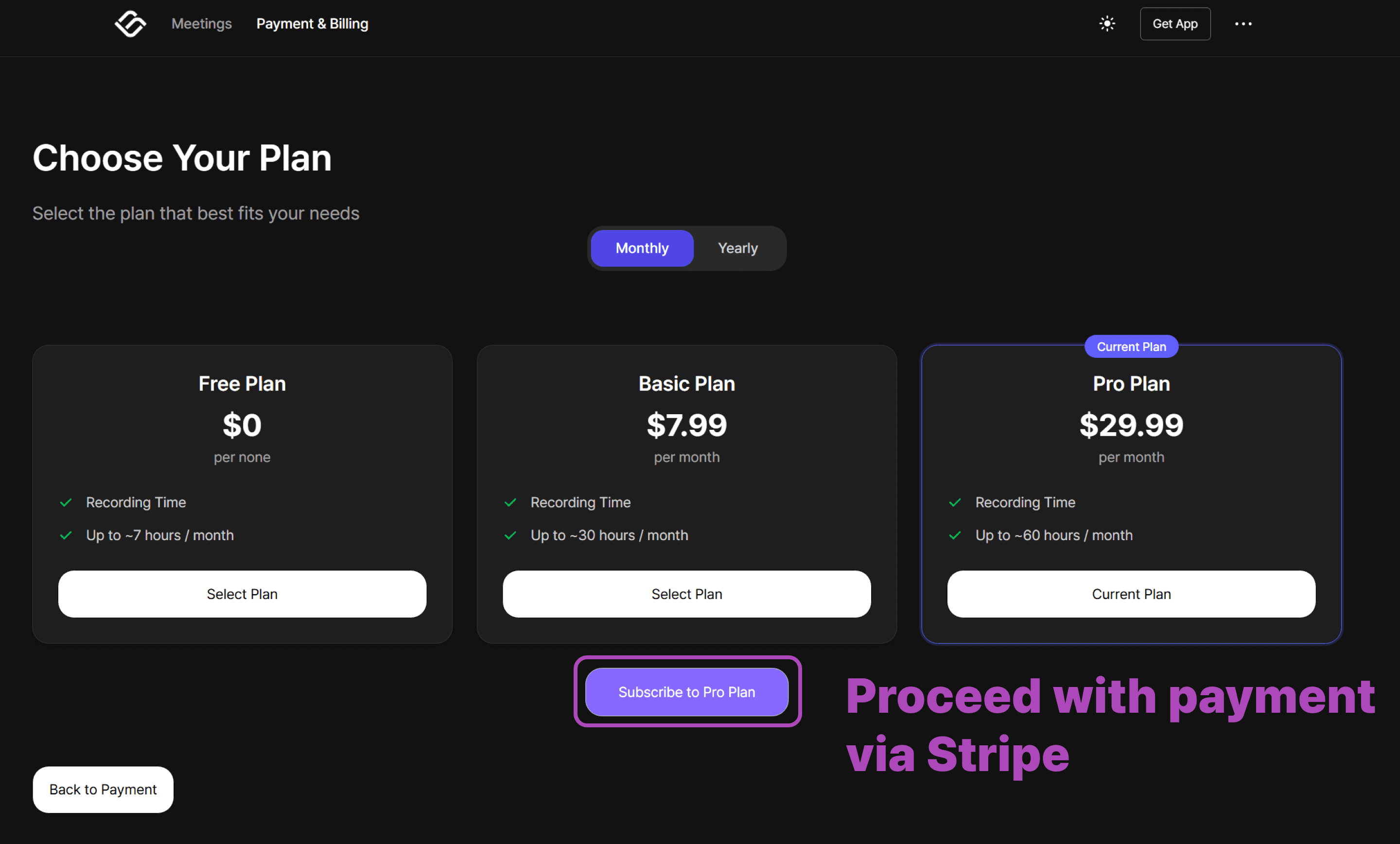
5. Complete Your Payment Through Stripe
When you select a paid plan, you’ll be redirected to a secure Stripe payment page. Follow the steps to enter your billing details and finalize your subscription.
That’s it!
Once payment is complete, your account switches to the new plan immediately.
Important: Switching from Mobile?
If you previously subscribed via the Apple App Store or Google Play Store, you must cancel that subscription first to avoid duplicate charges.
Cancel your subscription in the App Store or Play Store.
Wait for your current billing cycle to end and your account to return to the Free Plan.
Once your account is free, follow the steps above to upgrade via the web.
Need more help?
Contact us at business@bizcrush.ai