How to Use BizCrush at CES 2026
2
min

BizCrush
Growth
CES moves fast.
booth chats, hallway intros, and partner meetings — great conversations happen, then disappear.
BizCrush is built for this exact environment.
It captures real-world conversations, translates them live, and turns them into clear summary and instant follow-ups.
So no insight is lost.
This is 2-minute setup guide.
Your CES Workflow (short version)
Start a meeting room for each conversation (booth chat, partner meeting, quick intro).
Record the conversation. Add context keywords or upload a document, so summaries stay relevant.
Turn on live translation if needed.
Generate a follow-up email instantly and refine it with Ask AI.
That’s it.
Step 1: Install and Log In
Download BizCrush from your App store/Play store
Log in using your Google or Apple account.
Step 2: Capture Every Conversation
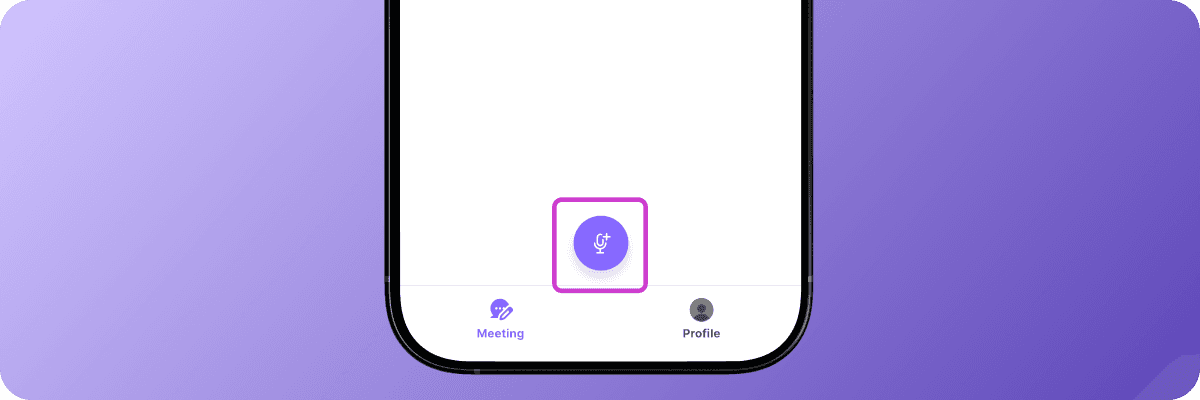
Tap the purple record button to start.
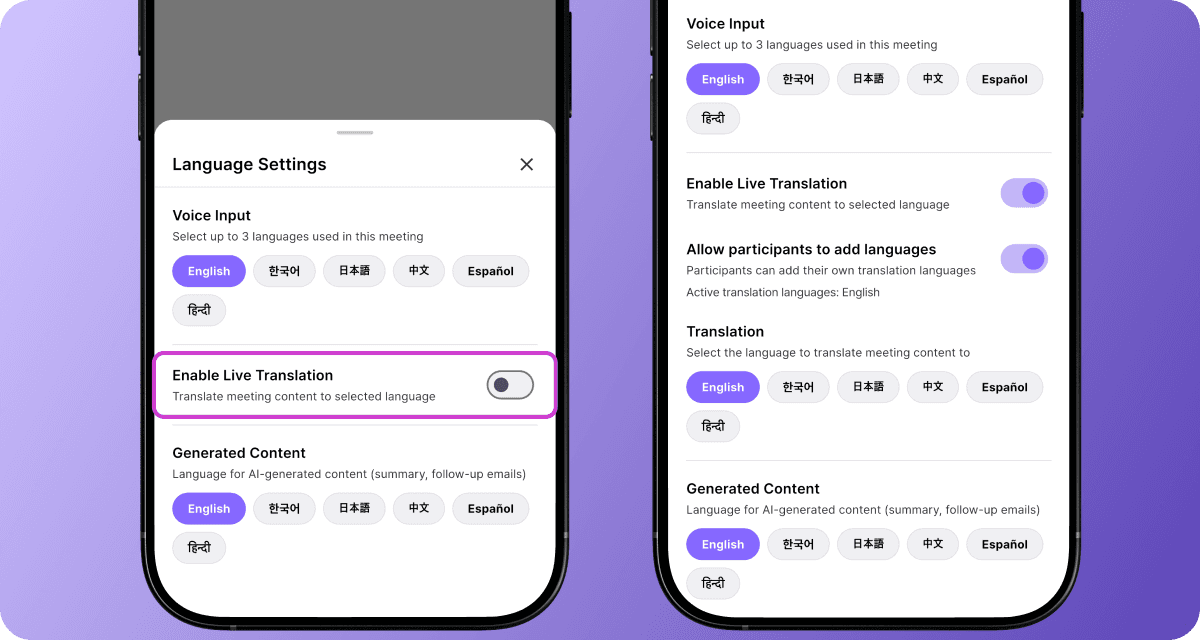
Meeting international partners? Tap the 🌐 or open Language Settings in the side menu to enable live translation.
Tips
Add the BizCrush widget to your home screen for one-tap recording—perfect for spontaneous booth chats.
(Just make sure microphone access is enabled.)
Step 3: Send Follow-Ups Instantly
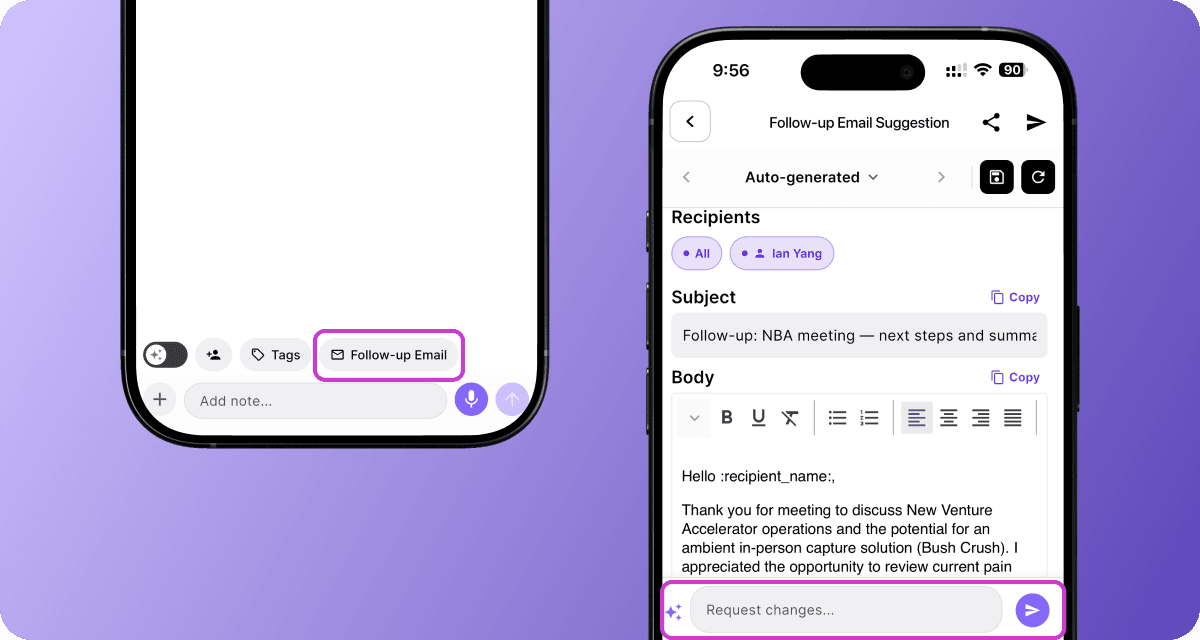
When the conversation ends, BizCrush automatically
Organizes your notes
Generates a summary
Extracts action items
Tap Follow-up Email to create a ready-to-send draft based on the discussion.
Want to adjust tone or focus?
Use Ask AI
Try prompts like
"Make it more professional"
"Mention dinner tonight"
"Focus on our Q3 partnership"
Learn more about customizing follow-up emails using Ask AI.
Optional: Teach BizCrush Your Context (Highly recommended for CES)
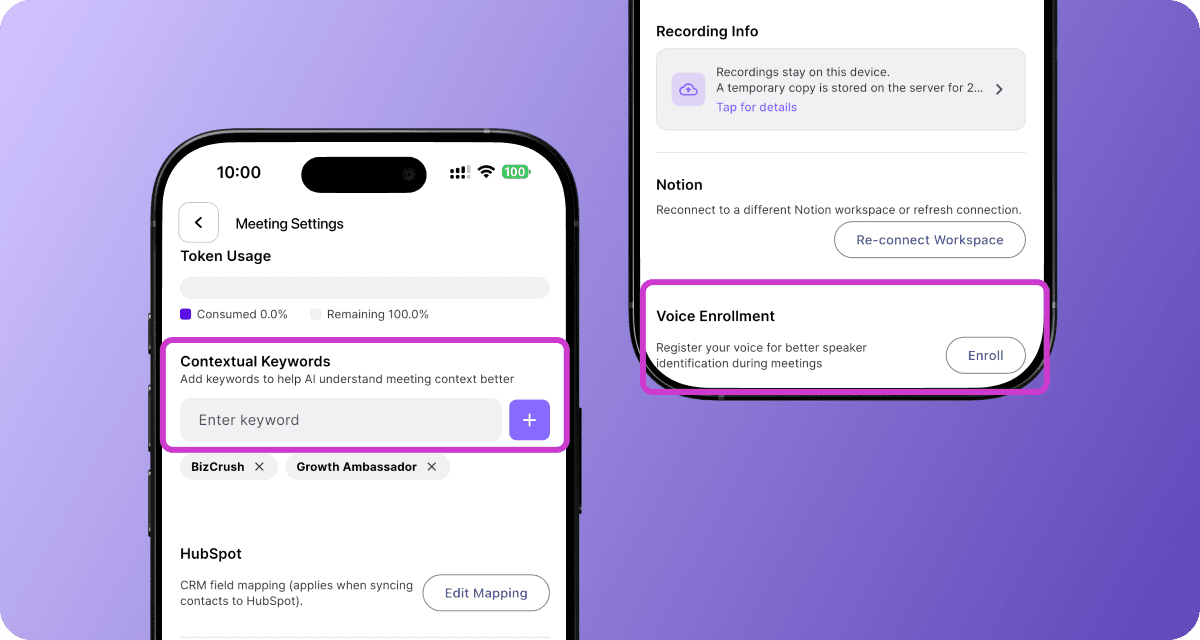
You can customize BizCrush in Meeting Settings.
Contextual Keywords
Add brand or product terms (e.g., "BizCrush","Sales manager") so they are transcribed correctly every time—useful for booths.
Voice Enrollment (30 seconds)
Record a short voice sample so BizCrush can identify speakers accurately in multi-speaker conversations.
CES 2026 Quick Checklist
Install BizCrush and log in.
Enable microphone access.
Turn on multi-language translation mode if needed.
Send customized follow-ups immediately.
(Optional) Add keywords or PDFs for better summaries.
Ready for CES 2026?
Make every conversation count.
Turn connections into opportunities!
This guide covers just the basics of BizCrush.
Explore more advanced features to get even more out of BizCrush.
Want to use BizCrush for free during CES 2026?
Email us at founders@bizcursh.ai
We are offering free CES access to the first 50 people.